Ribbons

About Ribbons
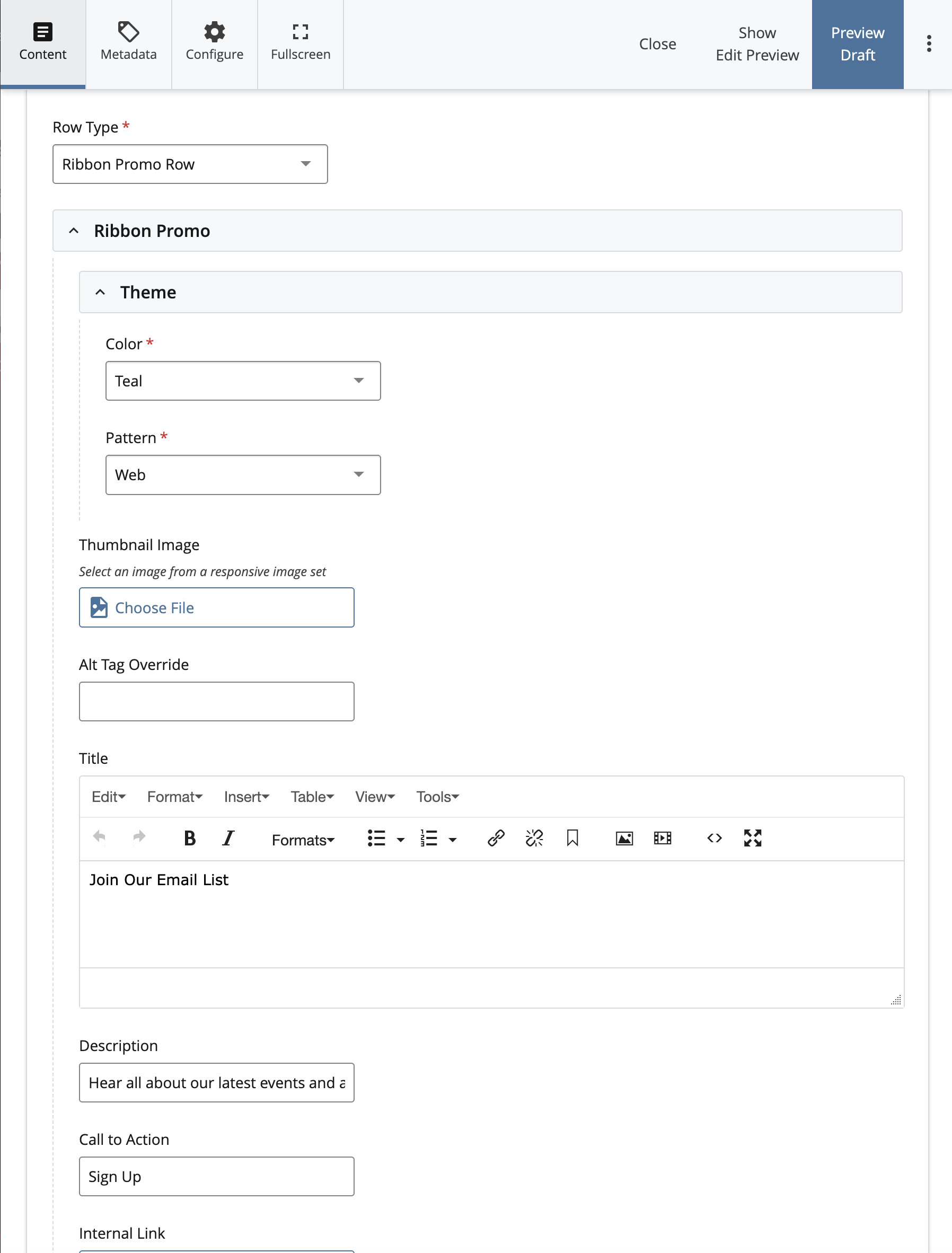
A ribbon is a great way to emphasize information on a webpage without the use of an image. It is especially useful for highlighting important and somewhat timely information, like an email sign-up, a donation link, or a speaker series. It consists of a title region, an optional description that appears below the title, and a button for links. Ribbon Rows are available as a row option on both Landing Pages and Secondary Pages.
How to Edit Ribbons
To create or edit a Ribbon Row, select “Ribbon Row” under the Row Type menu. Under the “Theme” menu, you can select your Color and Pattern options. If you do not want a pattern behind your text, simply select “None.”
Fill out the Title, Description, and Call to Action fields with your information, followed by the appropriate internal or external links.